Welcome to our blog. We have the latest computer hardware news and reviews updated 24 hours a day, 7 days a week. Be sure to check our 'Deals and Promotions' section where we bring you the best deals, coupons and discounts on hottest computer hardware and software. Saving you time and money since 2007.


Showing posts with label guide. Show all posts

512MB PowerColor Radeon HD4770 DDR5 2DVI PCI-Express Video Card AX4770512MD5M
Being a budget card with a lot of punch, overall performance of the Radeon HD 4770 is to be found in the mid-range segment.
We will show you how to get another 10 to 20% additional performance out of the card, totally free. It only takes a couple of minutes, and when done right we'll get the 4770 a good chunk faster.
Now not only will we learn you how to overclock, we'll also take a hand full of games and show you the performance benefit. Read more...

512MB PowerColor Radeon HD4770 DDR5 2DVI PCI-Express Video Card AX4770512MD5M

Price $117.80

Share |

If you need to replace your motherboard with a new one and you do not want to reinstall the OS (windows), then this is the right guide for you.

You will need to execute the following steps:

1. Boot your PC using the existing (old) motherboard.

2. Open Control Panel -> System and from the Device Manager, open up the "IDE ATA/ATAPI Controllers" section. On a typical system there will be three or four entries under this - the controller/controllers itself, and then the primary/secondary IDE channels. Double-click on the entry for the controller/controllers, and change the driver to the generic default Microsoft "Standard Dual-Channel PCI IDE Controller".

3. If you have a motherboard with an Intel CPU and your new motherboard is AMD based you will need to rename the intelppm.sys file located in the c:\windows\system32\drivers\ directory.

4. Shut down your PC.

5. Replace the old motherboard with the new one as required.

6. Boot your PC in SAFE MODE (Press the F8 key repeatedly until a menu appears. Use your arrow keys to highlight the 'Safe Mode' option, and then press ENTER).

7. After yet another reboot you will need to install the latest drivers. That's it!

Note: You can use this guide to upgrade a motherboard without reinstaling Windows XP or Windows 2000.

Share |

How to Photograph the Moon And Planets With Your Digital Camera
This book is more than a manual of techniques (including details of how to make a low-cost DIY camera mount) and examples; it also provides a concise photographic atlas of the whole of the nearside of the Moon – with every image made using a standard digital camera – and describes the various lunar features, including the sites of manned and robotic landings. The simple family camera can reveal a world of shape and form, pointing to a time of great change on another world where huge impacts produced giant craters on a scale we can only guess and mountain chains that run for hundreds of kilometres.
Get it now!
How to Photograph the Moon And Planets With Your Digital Camera

Share |

Canon EOS Digital Rebel XTi/400D Guide to Digital SLR Photography
The Canon Digital Rebel XTi is today's top-selling digital SLR camera. If you own a Digital Rebel XTi, you're serious about the quality of your photographs and you don't have time to play hit or miss with its features.
Canon EOS Digital Rebel XTi Guide to Digital SLR Photography will help you master the features of your camera as you explore the world of digital photography, exercise your creativity, and improve your work performance. You'll cover focus zones, Bokeh, flash synchronization options, choosing zoom settings, and will explore which exposure modes are the best fit for your EOS Digital Rebel XTi. If you are struggling to learn the basic capabilities of your Rebel XTi, you are not alone; Canon EOS Digital Rebel XTi Guide to Digital SLR Photography is your quick start to pixel proficiency.

Canon EOS Digital Rebel XTi/400D Guide to Digital SLR Photography

Price $17.81

Share |

Canon EOS Digital Rebel XT Guide to Digital Slr Photography
If you own a Digital Rebel XT, then you're planning to do more than just take the occasional snapshot. You're serious about photography. As an avid photographer, you owe it to yourself to make the most out of your cutting-edge equipment. You want to conquer the features of your Digital Rebel XT and you also want to take amazing photographs - and you want to do both now!
Welcome to the guide that can lead you to each of these goals. Canon EOS Digital Rebel XT Guide to Digital SLR Photography provides you with a concise guide to the most important features specific to your Digital Rebel XT, explaining not only how to use them but also why and when. Filled with full-color images to illustrate results at various settings, this book also helps you enhance your digital photography skills with techniques specific to the EOS Digital Rebel XT.

Canon EOS Digital Rebel XT Guide to Digital Slr Photography

Price $17.81

Share |

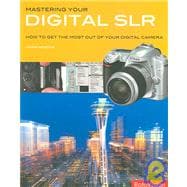
Mastering Your Digital Slr: How to Get the Most Out of Your Digital Camera
Mastering your Digital SLR is the definitive guide for the sophisticated digital camera enthusiast who wants to make the leap from compact digital or film SLR to digital SLR (DSLR) for more advanced digital photography, or existing SLR for owners who are ready for the next level of experimentation and expertise.
This comprehensive bible of the digital SLR employs a practical, step-by-step approach, to enable the reader to achieve critical image quality and professional results. It explains the intimate workings of the DSLR and illuminates every aspect of image capture and processing in a thorough, practical jargon-free manner, accompanied by inspirational illustrations.

Mastering Your Digital Slr: How to Get the Most Out of Your Digital Camera

Price $19.46

Share |

500 Digital Slr Photography Hints Tips and Techniques: The Easy All in One Guide to Those Inside Secrets for Better Digital Photography
Here's the definitive companion for photographers who want to get the best out of their digital SLRs. This accessible, colorful blend of step-by-step tutorials, quick fixes, and bullet-point tips offers the perfect antidote to dry, boring technical manuals.
Everything from digital workflow to advanced manipulation techniques, filters, special effects, and output options is presented in bite-sized chunks, accompanied by illuminating illustrations. And no jargon! 500 Digital SLR Photography Hints, Tips, and Techniques allows photographers everywhere to take great pictures and get professional results.

500 Digital Slr Photography Hints Tips and Techniques: The Easy All in One Guide to Those Inside Secrets for Better Digital Photography

Price $12.21

Share |

Currently covering 337 desktop graphics cards, this comprehensive comparison will allow you to easily compare 18 different specifications for each and every card. We hope it will prove to be a useful reference. We will keep this guide updated regularly, so do check back for the latest updates.
Read more...

Share |


Common symptoms that your PC is infected with this trojan are:

● After booting up your PC, the following error message gets displayed:

A potential problem has been detected and Windows has been shutdown buggy application to prevent damage to your computer.
****WXYZ.SYS - Address F73120AE base at C00000, DateStamp 36b072A3
Kernel Debugger Using: COM2 (Port 0×28f, Baud rate 192000)

● On next reboot, the following error message gets displayed:

Important : Potential errors found in the system.
During a scan of files at system startup, potential errors in the system registry were found.
p-07-0100 irql: 1f SYSVER 0xff0024
NT_Kernel error 1256
KMODE_EXCEPTION_NOT_HANDLED

● Many pos*.tmp files are created in your hard drive.

● Two new shortcuts are created on your Desktop:

Windows Update (http://storageprotector.com/clean/p=60&gai….) and
Help an Support Center (http://storageprotector.com/clean/p=61&gai….) , both pointing to some suspicious links (not the authentic Windows Update Server).

How to fix this problem:

Download Combofix at http://download.bleepingcomputer.com/sUBs/ComboFix.exe

Download VundoFix at http://www.atribune.org/public-beta/VundoFix.exe

Disable (or uninstall) all other anti-spyware and anti-trojan programs running on your PC.

Double click combofix.exe and follow the prompts. Reboot your PC after the scanning is done.

Double click VundoFix.exe and reboot your PC after the scanning is done.

Combofix and VundoFix utilities are able to detect several malicious files and sucessfully remove them from your machine.

Share |